About HDL On
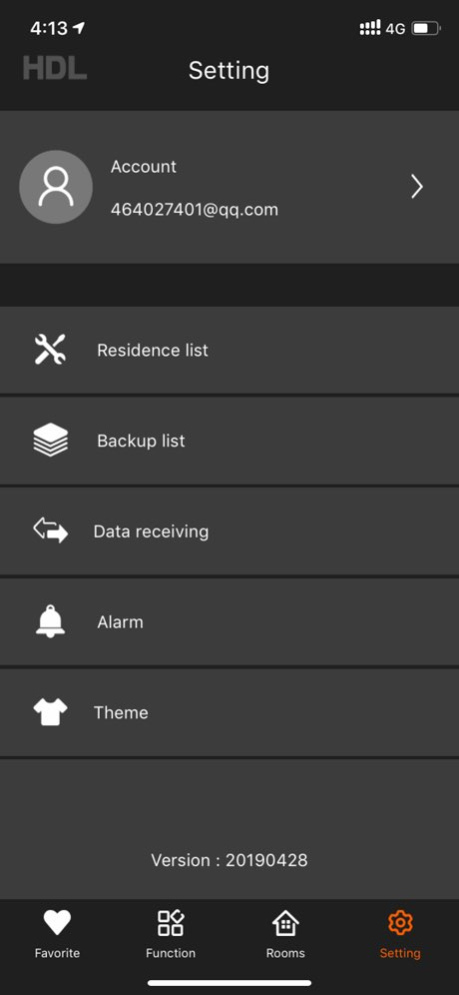
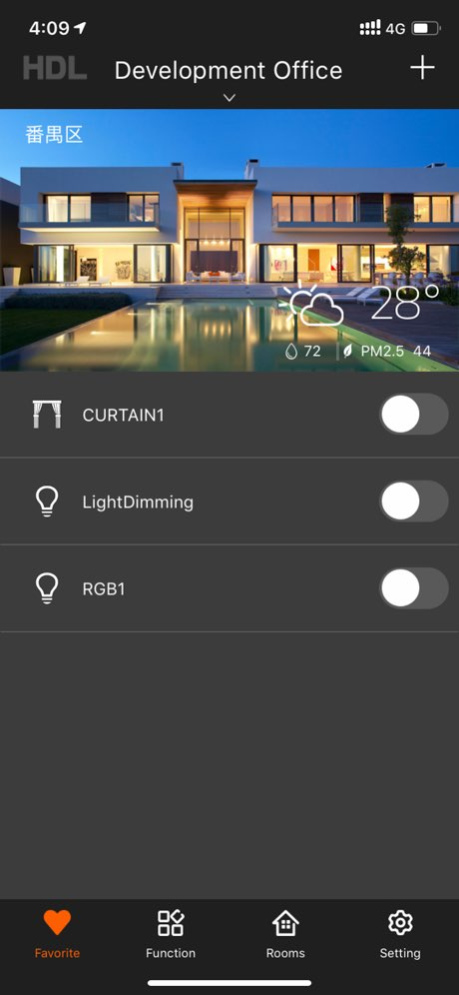
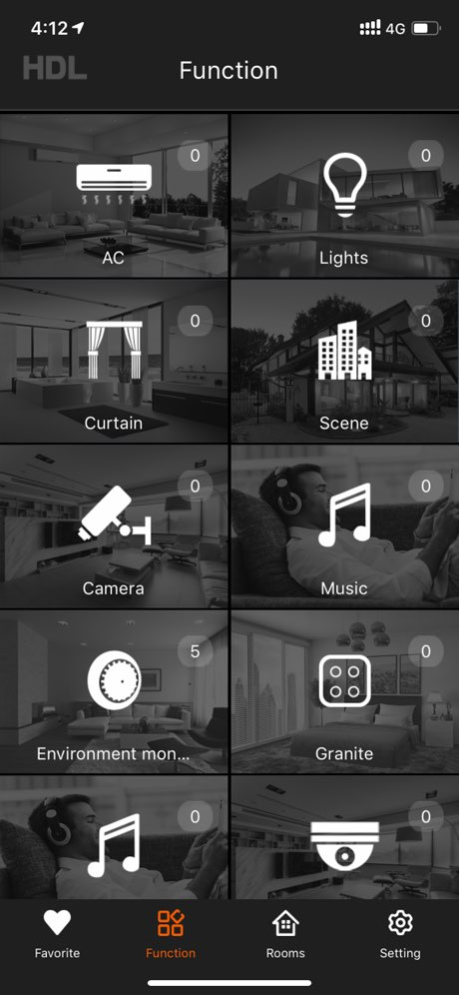
New software HDL On will replace the use of iLfie, the current release of version 1.0 supports search network equipment and carry the following a few types of lighting, curtains, HVAC, panel equipment. Version History 1....
New software HDL On will replace the use of iLfie, the current release of version 1.0 supports search network equipment and carry the following a few types of lighting, curtains, HVAC, panel equipment.
Version History 1. Fix known issues. 2.9.4 01/02/2025 1. Fixed the issue where electrical functions cannot be loaded. 2. Fixed the issue where the RGB light status cannot be counted. 3. Fixed the issue where the room pagination failed to load the device control page. 4.Added guidelines for account cancellation. If you need to cancel an account, you can follow the instructions. 2.9.3 09/20/2024 1. Fix the issue where electrical functions cannot be loaded. 2. Fix the issue where the RGB light status cannot be counted. 2.9.2 09/15/2024 Fix known issues 2.9.1 09/13/2024 1. Fix known issues. 2.84231128 12/04/2023 1. Fix known issues. 2.72306201 06/20/2023 Fix known problems 2.721115 06/20/2023 1. Add switch status processing for Universal switch. 2.6210402 04/19/2021 1.Bug fixed 2.6210224 03/03/2021 1.Fan with 3 fan speeds supported 2.Multiloop blinds motor and curtain motor supported 3.Bug fixed 2.5200903 09/15/2020 1.Uploading data in Buspro Setup Tool replaces easy programming. 2.Added server selection function. Please upgrade the gateway supporting MQTT protocol before using this function. 3.Optimized scene control speed. 4.Optimized backup-upload and backup-download. 5.Optimized remote connection, added status hint of interaction. 6.Added gateway matching detection. 7. Data compatibility between old and new version fixed. 8.Known bug fixed. 2.5200525 05/27/2020 1.Uploading data in Buspro Setup Tool replaces easy programming. 2.Added server selection function. 3.Optimized scene control speed. 4.Optimized backup-upload and backup-download. 5.Optimized remote connection, added status hint of interaction. 6.Added gateway matching detection. 7.Known bug fixed. 2.5200515 05/16/2020 Fix bug with incorrect upgrade prompt. 2.41216 12/17/2019 Fix bug with incorrect upgrade prompt. 2.41214 12/13/2019 1. Supprot to use learning ir code in TV and STB. 2. Add the scene command state refresh of light. 2.41130 12/03/2019 1. Supprot to use learning ir code in TV and STB. 2. Add the scene command state refresh of light. 2.41128 12/01/2019 1. Modify the curtain status update. 2. Update the TV interface. 2.41113 11/15/2019 1. Adapt iOS13 system to fix the problem of unable to receive push information. 2. Fix the problem that iOS13 updates cause control exceptions. 3. Updating remote status shows an error. 4.Add curtain status display. 2.41103 11/08/2019 1. Fix the problem that iOS13 updates cause control exceptions. 2. Updating remote status shows an error. 2.41010 10/11/2019 1. Adapt iOS13. 2. Fix known bugs. 2.40920 09/26/2019 1.Optimize remote connection function. 2.Added the function of switching accounts quickly. 3. Added the remote connection restriction. Only one remote connection can be applied to one account at one time. The last remotely-connected device will be forced offline and logged off by the next one, while the local connection will not be affected. 2.40730 08/14/2019 Optimize the function of remote connection. 2.40716 07/17/2019 1. Fixed the bug of program jam caused by clicking "Data Receiving". 2. Optimize the data update mechanism. 3. Fixed the bug that caused unstable remote connection and remote connection error. 4. Now On app is able to receive update data in remote status again. 5. Now the device number in device page can be updated properly again. 2.40715 07/15/2019 1. Fixed the bug of program jam caused by clicking "Data Receiving". 2. Optimize the data update mechanism. 3. Fixed the bug that caused unstable remote connection and remote connection error. 4. Now On app is able to receive update data in remote status again. 5. Now the device number in device page can be updated properly again. 2.40710 07/12/2019 1. Fixed the bug that caused unstable remote connection and remote connection error. 2. Now On app is able to receive update data in remote status again. 3. Now the device number in device page can be updated properly again. 2.40704 07/08/2019
Previous Versions
Here you can find the changelog of HDL On since it was posted on our website on 2016-11-09 17:42:13.
The latest version is 2.9.4 and it was updated on 2026-10-12 18:12:13. See below the changes in each version.
HDL On version 2.9.4
Updated At: 2026-10-08
Changes: Version History 1. Fix known issues. 2.9.4 01/02/2025 1. Fixed the issue where electrical functions cannot be loaded.
2. Fixed the issue where the RGB light status cannot be counted.
3. Fixed the issue where the room pagination failed to load the device control page.
4.Added guidelines for account cancellation. If you need to cancel an account, you can follow the instructions. 2.9.3 09/20/2024 1. Fix the issue where electrical functions cannot be loaded.
2. Fix the issue where the RGB light status cannot be counted. 2.9.2 09/15/2024 Fix known issues 2.9.1 09/13/2024 1. Fix known issues. 2.84231128 12/04/2023 1. Fix known issues. 2.72306201 06/20/2023 Fix known problems 2.721115 06/20/2023 1. Add switch status processing for Universal switch. 2.6210402 04/19/2021 1.Bug fixed 2.6210224 03/03/2021 1.Fan with 3 fan speeds supported
2.Multiloop blinds motor and curtain motor supported
3.Bug fixed 2.5200903 09/15/2020 1.Uploading data in Buspro Setup Tool replaces easy programming.
2.Added server selection function. Please upgrade the gateway supporting MQTT protocol before using this function.
3.Optimized scene control speed.
4.Optimized backup-upload and backup-download.
5.Optimized remote connection, added status hint of interaction.
6.Added gateway matching detection.
7. Data compatibility between old and new version fixed.
8.Known bug fixed. 2.5200525 05/27/2020 1.Uploading data in Buspro Setup Tool replaces easy programming.
2.Added server selection function.
3.Optimized scene control speed.
4.Optimized backup-upload and backup-download.
5.Optimized remote connection, added status hint of interaction.
6.Added gateway matching detection.
7.Known bug fixed. 2.5200515 05/16/2020 Fix bug with incorrect upgrade prompt. 2.41216 12/17/2019 Fix bug with incorrect upgrade prompt. 2.41214 12/13/2019 1. Supprot to use learning ir code in TV and STB.
2. Add the scene command state refresh of light. 2.41130 12/03/2019 1. Supprot to use learning ir code in TV and STB.
2. Add the scene command state refresh of light. 2.41128 12/01/2019 1. Modify the curtain status update.
2. Update the TV interface. 2.41113 11/15/2019 1. Adapt iOS13 system to fix the problem of unable to receive push information.
2. Fix the problem that iOS13 updates cause control exceptions.
3. Updating remote status shows an error.
4.Add curtain status display. 2.41103 11/08/2019 1. Fix the problem that iOS13 updates cause control exceptions.
2. Updating remote status shows an error. 2.41010 10/11/2019 1. Adapt iOS13.
2. Fix known bugs. 2.40920 09/26/2019 1.Optimize remote connection function.
2.Added the function of switching accounts quickly.
3. Added the remote connection restriction. Only one remote connection can be applied to one account at one time. The last remotely-connected device will be forced offline and logged off by the next one, while the local connection will not be affected. 2.40730 08/14/2019 Optimize the function of remote connection. 2.40716 07/17/2019 1. Fixed the bug of program jam caused by clicking "Data Receiving".
2. Optimize the data update mechanism.
3. Fixed the bug that caused unstable remote connection and remote connection error.
4. Now On app is able to receive update data in remote status again.
5. Now the device number in device page can be updated properly again. 2.40715 07/15/2019 1. Fixed the bug of program jam caused by clicking "Data Receiving".
2. Optimize the data update mechanism.
3. Fixed the bug that caused unstable remote connection and remote connection error.
4. Now On app is able to receive update data in remote status again.
5. Now the device number in device page can be updated properly again. 2.40710 07/12/2019 1. Fixed the bug that caused unstable remote connection and remote connection error.
2. Now On app is able to receive update data in remote status again.
3. Now the device number in device page can be updated properly again. 2.40704 07/08/2019
HDL On version 2.9.4
Updated At: 2025-01-02
Changes: Jan 2, 2025
Version 2.9.4
1. Fix known issues.
HDL On version 2.9.4
Updated At: 2025-01-02
Changes: 1. Fix known issues.
HDL On version 2.9.3
Updated At: 2024-09-20
Changes: Sep 20, 2024
Version 2.9.3
1. Fixed the issue where electrical functions cannot be loaded.
2. Fixed the issue where the RGB light status cannot be counted.
3. Fixed the issue where the room pagination failed to load the device control page.
4.Added guidelines for account cancellation. If you need to cancel an account, you can follow the instructions.
HDL On version 2.9.2
Updated At: 2024-09-15
Changes: Sep 15, 2024
Version 2.9.2
1. Fix the issue where electrical functions cannot be loaded.
2. Fix the issue where the RGB light status cannot be counted.
HDL On version 2.84231128
Updated At: 2023-12-04
Changes: Dec 4, 2023
Version 2.84231128
1. Fix known issues.
HDL On version 2.72306201
Updated At: 2023-06-20
Changes: Jun 20, 2023
Version 2.72306201
1. Fix known issues.
HDL On version 2.6210402
Updated At: 2021-04-19
Changes: Apr 19, 2021 Version 2.6210402
1. Add switch status processing for Universal switch.
HDL On version 2.6210224
Updated At: 2021-03-03
Changes: Mar 3, 2021 Version 2.6210224
1.Bug fixed
HDL On version 2.5200903
Updated At: 2020-09-15
Changes: Sep 15, 2020 Version 2.5200903
1.Fan with 3 fan speeds supported
2.Multiloop blinds motor and curtain motor supported
3.Bug fixed
Disclaimer
Official App Store Link
We do not host HDL On on our servers. We did not scan it for viruses, adware, spyware or other type of malware. This app is hosted by Apple and passed their terms and conditions to be listed there. We recommend caution when installing it.
The App Store link for HDL On is provided to you by apps112.com without any warranties, representations or guarantees of any kind, so access it at your own risk.
If you have questions regarding this particular app contact the publisher directly. For questions about the functionalities of apps112.com contact us.